







Laser cut sheet metal designs can turn a flat sheet into a shop sign, decorative silhouette, reusable stencil or functional prototype. For sign makers and small workshops, a useful design combines an appealing shape with details that can be cut, handled and assembled reliably.
Start with the finished product: its size, material, mounting method and surface finish. These decisions help determine which details to keep, which to simplify and what to check in a sample cut. The following six ideas offer practical starting points.
6 Laser Cut Sheet Metal Design Ideas
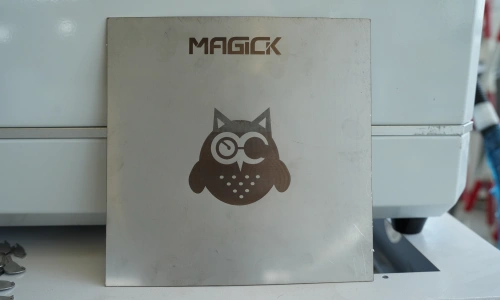
1. Custom Logo Plates and Business Signs
A logo plate can combine a recognizable outline, cutout lettering and mounting holes in one part. Consider how the sign will look against its backing surface and from its intended viewing distance.
Decide whether you want a single panel with cutout shapes or separate letters attached to a backing board. That choice changes how you prepare the artwork and mount the finished pieces. Add mounting locations before finalizing the design.
2. Animal Silhouettes and Decorative Metal Art
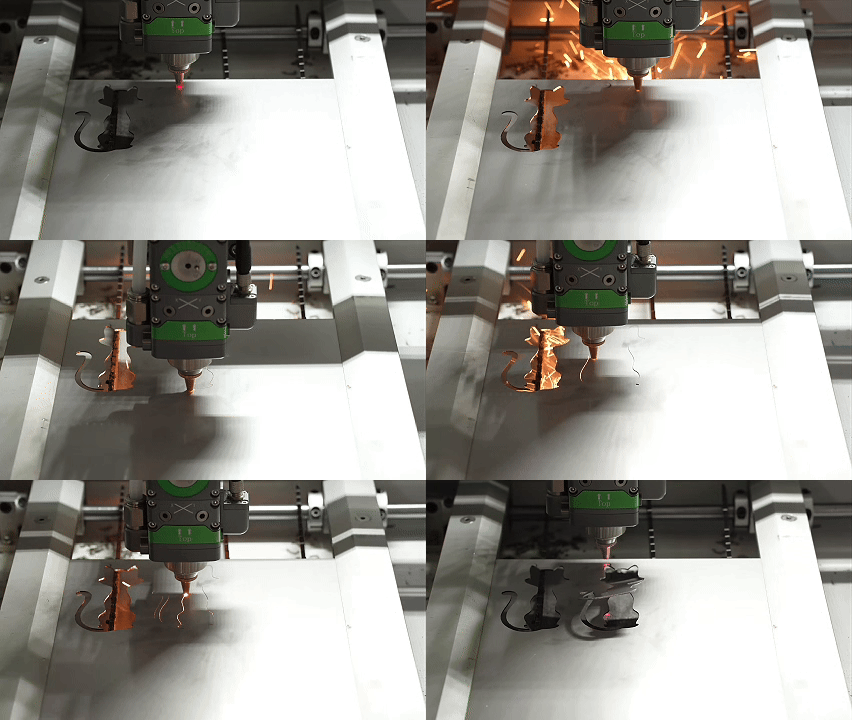
Birds, cats, woodland scenes and botanical outlines offer starting points for decorative metal pieces. A recognizable silhouette can carry the design without requiring many tiny internal cuts.
For a small ornament, simplify fur, feathers and branches before reducing the overall size. Review how the piece will be handled and displayed: a hanging hole, mounting tab or separate stand may need space in the drawing.
3. Geometric Panels and Decorative Inserts
Repeating circles, hexagons or custom patterns can create decorative inserts for signs, displays and small interior projects. Start with the outer frame and mounting points, then arrange the pattern within that boundary.
Try the pattern at its final physical size. A detailed design that works on a large panel may need wider connections and fewer openings when reduced. For a compact cutting machine, confirm that the complete panel fits its usable cutting area.
4. Prototype Plates and Small Functional Parts
A laser cut metal sheet design can also become a mounting plate, connector, equipment faceplate or bracket blank.
Begin with the interfaces: hole centers, fastener clearance, connector openings and mating surfaces. Identify which dimensions affect fit and which are mainly cosmetic. If the part will be bent, include that later operation in the design review. Cutting creates the flat profile; forming and assembly require their own process planning.
5. Reusable Stencils and Cutout Lettering
Stencils suit repeated painting, lettering and decorative layouts. Their key design challenge is retaining the enclosed centers of letters such as A, B and O.
Use stencil lettering or add bridges that connect these centers to the surrounding sheet. Convert text to vector outlines before export, while keeping an editable copy of the original artwork. Check the bridges against the material and cutting process selected for the job.
6. Layered Metal, Acrylic and Wood Signs
A layered sign can combine a metal front plate with acrylic lettering or a wood backing. Design the components as separate parts, with matching reference points for alignment.
Choose the attachment method early. Screws, spacers or adhesive each affect clearances and the visible layout. Producing these layers also requires equipment suited to each material: the metal-cutting configuration and the acrylic or wood-cutting configuration must be specified separately.
Sheet Metal Laser Cutting Design: What to Check Before Cutting
Prepare a Clean Vector File
Create the part at its intended finished size and confirm the drawing units. For closed-profile cutting, use closed contours and remove duplicate or overlapping paths. Keep dimensions, borders and reference notes out of the cutting geometry.
A photograph or JPG can be a visual reference, but its outlines still need to be traced and checked. Confirm the file format supported by the cutting software before exporting. If the job includes marking or engraving, identify those operations separately and verify that the quoted equipment supports them.
Check Small Holes, Slots and Connections
Minimum feature sizes depend on the material, thickness and process. A value used successfully on one job may not apply to another.
Identify the smallest hole, narrowest slot and thinnest connection in your design. Ask for these features to be evaluated in the selected material. A small test piece containing the difficult details can reveal problems before you cut the complete design.
Account for Kerf and Fit
Kerf is the width of material removed during cutting. It matters when a tab must fit a slot, two pieces must align or a small decorative detail must remain intact.
Confirm how kerf compensation will be applied in the cutting workflow before changing the drawing dimensions. Avoid applying an offset twice. For an assembly, test the actual mating parts and record the fit that works.
Plan the Finish and Mounting
Specify how the part should look and function after cutting. A visible sign face may need different finishing work from a concealed mounting plate.
Include any deburring, coating or polishing in the sample review. Check the piece after finishing and assembly, especially where slots, fasteners or closely spaced layers must fit. For outdoor signs, define the exposure conditions when selecting the material and finish.
Validate One Design Before Making a Batch
Use a representative sample to connect the artwork with a repeatable production process. Choose a design that includes your smallest details, a mounting feature and any critical fit.
Record the following with the finished sample:
| Item | What to record |
|---|---|
| Design | File revision, units and finished dimensions |
| Material | Grade, thickness and surface condition |
| Equipment | Machine configuration and laser source used |
| Process | Assist gas, cutting settings and any finishing steps |
| Result | Edge photographs, critical measurements and assembly fit |
| Time | Cutting time and total time including setup and finishing |
This record gives the next revision a clear starting point. For example, if a logo looks correct but its mounting slot is too tight, you can investigate that feature without changing the entire design.
Choosing a Compact Machine for Your Designs
For a workshop making small signs, decorative parts and prototypes, equipment selection starts with the parts you expect to produce regularly. Compare their dimensions, materials, batch sizes and finishing requirements with the proposed machine configuration.
The MAGICK MK-DC hybrid laser cutting machine has a compact enclosed design for signs, prototypes and small-batch parts. For projects combining metal with acrylic or wood, request the fiber laser and CO₂ laser configuration explicitly.
For metal-focused work, MAGICK’s MK-3030DC 800W configuration uses a JPT air-cooled fiber laser. The air-cooled fiber source reduces the water-cooling equipment and water-loop maintenance associated with that source. A hybrid configuration also needs its CO₂ cooling requirements confirmed.
This 800 W metal-cutting configuration uses 220 V, 60 Hz single-phase power. Check the complete machine’s electrical requirements against the installation site. The 800 W laser rating describes optical output, rather than total electrical consumption.
Before choosing a configuration, confirm the usable cutting area, complete installation footprint, material range and results on your own sample file. Include space and connections for extraction, assist gas and any auxiliary equipment.
Frequently Asked Questions
What is a good first laser cut sheet metal design?
Start with a simple logo plate or silhouette that has a clear outer shape and a few large details. Include the intended mounting method so the sample tests both appearance and practical use.
What determines the cost of a design?
Material use, the number and length of cuts, setup, finishing and quantity all contribute. Compare the total effort required to deliver a finished part, including assembly, when deciding whether to outsource or produce it in-house.
Can one machine produce metal and acrylic sign components?
A machine configured with suitable fiber and CO₂ sources can support these separate processes. Confirm the included sources and the approved material range in the quotation, then request samples in the actual materials and thicknesses you plan to use.
Bring Your Design to a Sample-Cutting Review
Send MAGICK your design file, material grade, thickness, finished dimensions and expected quantity. Include any requirements for mounting, fit and surface finish.
Explore the MK-DC configuration and request a sample-cutting review to discuss how your laser cut sheet metal designs could fit an in-house workflow.
